
Quick answer
Role-based access connects access rights to work responsibility instead of attaching scattered permissions to individual people. Before automating a workflow, a business should identify the data that needs protection, define what each role may do, name who approves exceptions, and decide when access is reviewed. That is the foundation for workflows that reach the right people, use the right data, and remain reviewable.
The problem is not the “grant access” button
In an early-stage team, people often share a spreadsheet, chat group, or tool account. It feels fast. It becomes fragile when several departments use operational data: customer contacts, quotations, orders, expenses, people records, or internal reporting.
A common response is to solve each request by adding another individual permission: “let this person see it too”, “open it temporarily”, or “send the file in chat”. A few months later, nobody can confidently explain who has access to what—or why.
Roles offer a different organising principle. NIST describes Role-Based Access Control (RBAC) as a model for administering permissions through roles, with software helping handle complexities such as mutually exclusive or hierarchical roles. An SME does not need to begin with a complex model. It needs to turn real operating responsibilities into rules that people can understand and review.
A four-layer framework: Data — Roles — Actions — Review
OXMODE recommends working through four layers in this order. This is not a legal compliance checklist. It is an operating-design tool for the team to use before configuring a system.
1. Data: what needs protection?
Do not start with a software menu. Start with the data and decisions the team actually uses:
- customer and contact data;
- quotations, contracts, or opportunity status;
- expense requests, budgets, and approval decisions;
- people records or internal information;
- workflow configuration, integrations, and change logs.
These groups do not all need the same level of protection. Ask a practical question instead: what could be disrupted if the wrong person could view, edit, or delete this data? The answer directs attention to meaningful risks instead of attempting to lock everything down.
2. Roles: who is responsible for which work?
A role should reflect work, not a person's name. A service business, for example, might start with requester, team lead, customer owner, finance owner, and system administrator.
One person may hold several roles in a small business. That is still clearer than keeping exceptions in people's heads. When staffing changes, the team changes the person's roles rather than hunting through every folder, spreadsheet, and tool.
Before creating a new role, ask whether it represents a recurring responsibility or only an unusual case. For an unusual case, a time-bound approval path may be more useful than another permanent role.
3. Actions: what may each role do with the data?
A minimal access matrix is often enough to start. Each cell needs to answer only one question: may this role view, create, edit, approve, export, or administer?
| Role | Customers | Expense requests | Operating reports | Workflow configuration |
|---|---|---|---|---|
| Requester | View relevant records | Create and view own requests | Not by default | No |
| Team lead | View assigned team data | View and confirm context | View team scope | No |
| Finance owner | View when needed to process | Approve agreed thresholds | View relevant finance reporting | No |
| System administrator | Support scope only | Does not replace an approver | Support scope only | Controlled administration |
This is a hypothetical illustration, not a universal template. Its value is that it forces a team to distinguish “may view” from “may change”, and “does the work” from “administers the system”.
A useful early principle is the minimum access practical for the responsibility. Access that is too broad makes review difficult; access that is too narrow forces people to request an unlock for routine work. Both are signals to improve the design, not reasons to blame users.
4. Review: exceptions, changes, and traceability
Access design is not a one-time task. Agree on three situations from the beginning:
- Exceptions: Who can grant temporary access, where is the reason recorded, and when does it end?
- Role changes: When someone moves team or leaves, who reviews and removes the old access?
- Sensitive actions: Which actions need a log or a second approval, such as exporting data or changing workflow configuration?
NocoBase treats Users & Permissions as a dedicated capability area, covering roles, permissions, and access controls to support security and compliance. For any platform, the specific configuration should be tested against the business's own workflow and policy; copying access from another system is not evidence that it is appropriate.
A 60-minute playbook to start
You do not need a large project to make a first version. Choose one workflow where several people share data, such as onboarding a new customer or approving an internal expense. Then work through these steps:
- Map the data path: where data enters, who touches it, and which decision it supports.
- List real roles: write responsibilities, not employee names.
- Make a one-page matrix: record only essential actions for each role.
- Mark the three most sensitive points: where someone can export data, alter configuration, or make a financial decision.
- Run one scenario: a new joiner, a role change, or a request for temporary access.
- Record decisions needed: separate what the founder or system owner must decide from what the team can operate itself.
The required output is not a beautiful diagram. It is an access matrix that the operations owner, user, and system configurator can all read the same way.
Put access design before automation and AI
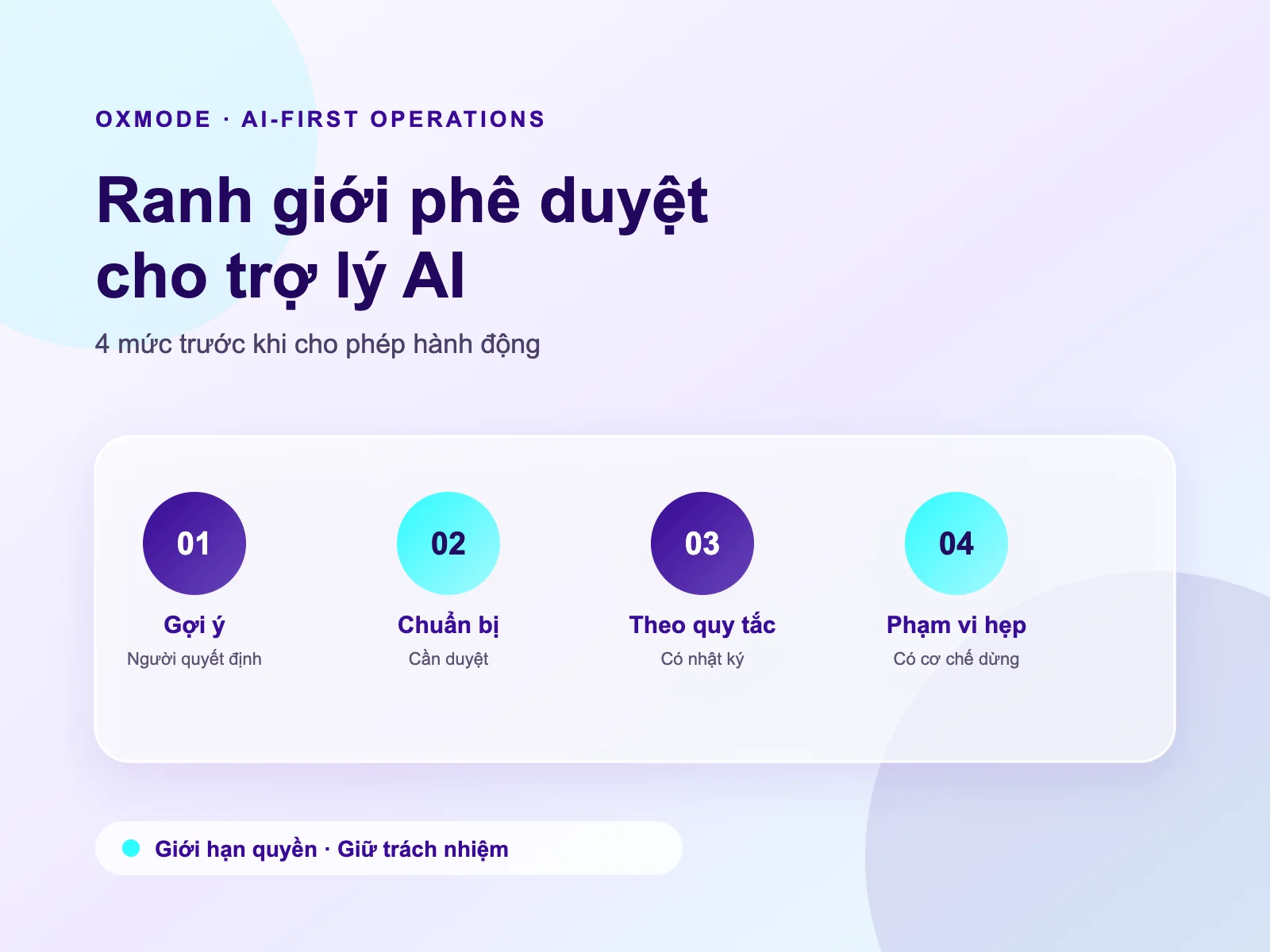
A workflow may create a record, send a notification, route work to an owner, or consolidate information. An AI assistant may help read, summarise, or prepare a draft within its assigned scope. Before connecting either, the business needs to know which authority the workflow or assistant operates under, which data it can touch, and when work must return to a human for review.
Do not use automation to hide ambiguous authority. If the system cannot distinguish who may approve, who may only recommend, and who only needs notification, a workflow simply moves ambiguity faster.
Clear access design also improves tool selection: which platform can support roles, data scope, approval states, and a history of changes in a way the team can operate? The answer may lead to a no-code or low-code platform, a dedicated workflow, or a simpler process. No single tool is right for every context.
When should you seek implementation support?
Bring the problem to a technical team or implementation partner when access is spread across several tools, an error could affect important data, or the business is preparing to automate a cross-functional flow.
OXMODE can work with a team on a real workflow to clarify data, responsibilities, approval points, and exceptions before configuring a platform or workflow. The goal is an operating approach the team can use and review—not simply another administration screen.
Frequently asked questions
Does a small SME need role-based access?
Yes, at an appropriate level. When three to five people share a data source or approve work together, a simple access matrix already reduces dependence on memory and chat messages. There is no need to create many levels if the responsibilities do not require them.
Should an implementer receive administrator access to move quickly?
Only within the scope needed, with a clear rule for duration, purpose, and accountability. Administrator access should not become the default way to resolve every support request.
Can every employee use one shared role?
It can be a starting point for basic access, but it should not replace genuine differences in responsibility. If one group approves, exports data, or changes configuration, its access should be separate so it can be reviewed.
Sources
- NIST, Role-Based Access Control — background on the RBAC model and its role concepts.
- NocoBase Documentation, Users & Permissions — official NocoBase documentation for roles, permissions, and access controls.
- Google Search Central, Creating helpful, reliable, people-first content — guidance on helpful, reliable, people-first content.