When chat becomes the place where work is approved
A request to buy equipment, hire a person, or spend a small amount often begins with a message. This is fast when a team is small. As work increases, the important questions become:
- Who owns the request now?
- Does it contain enough context for a decision?
- Who has authority to approve it?
- What happens when it is late or declined?
A good approval flow does not need to be complicated. It needs to give everyone one shared status and a clear next step.
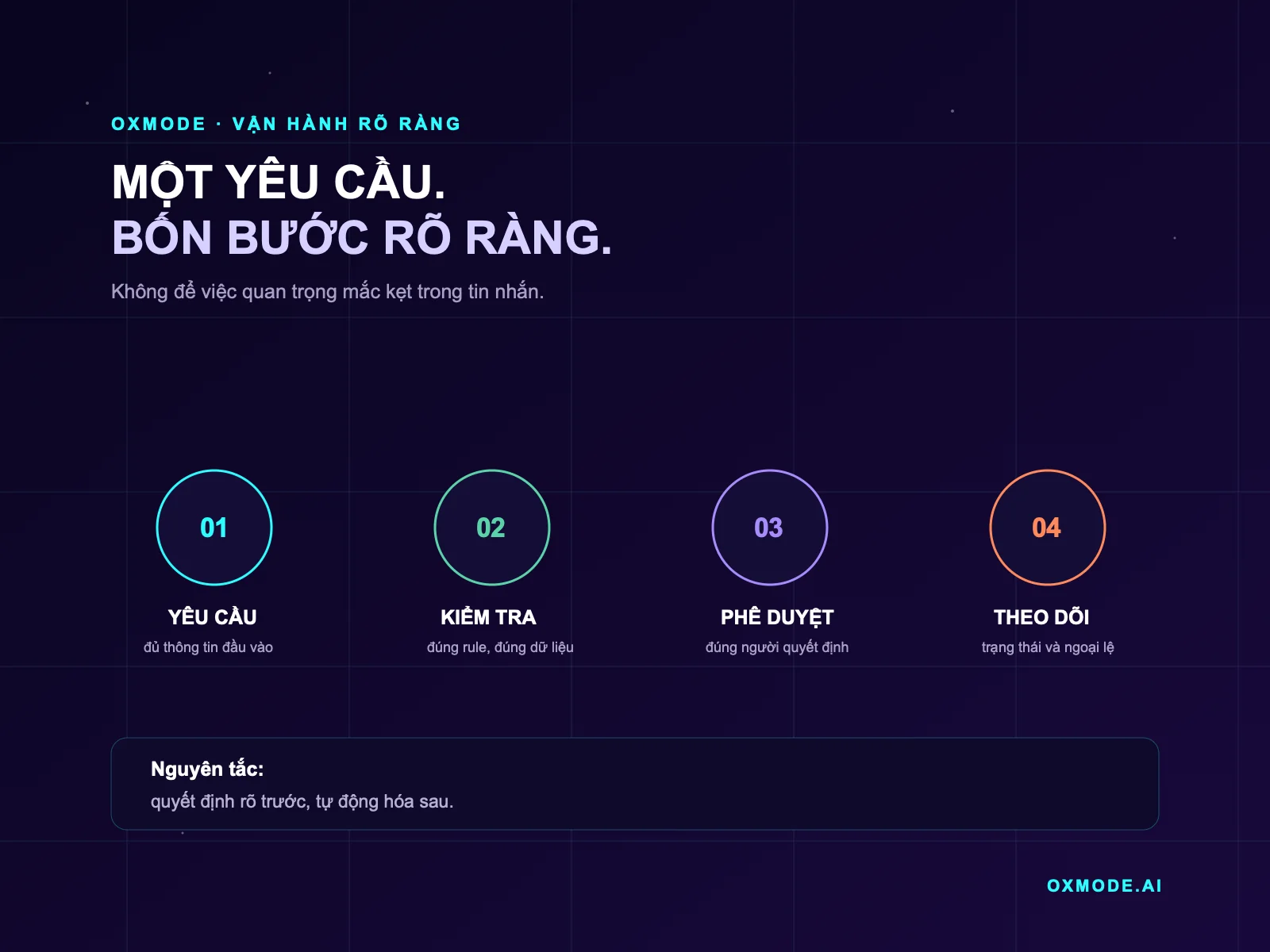
Step 1 — Request: capture the context at the start
Do not begin with “Can you approve this?” in chat. Each request type needs a short template that captures only what the decision requires.
For an expense request, the minimum may include:
- purpose and intended outcome;
- amount or budget range;
- date by which a decision is needed;
- person accountable for implementation;
- related quotation or document.
The goal is not a long form. The goal is to prevent the approver from asking basic questions again across several chat threads.
Step 2 — Check: separate clear conditions from personal opinion
Before a request reaches an approver, apply a simple check. For example: does the budget belong to this period, is the request duplicated, is the requester in the right role, or are supporting quotations attached?
Write conditions as a sentence that can be checked:
A request is ready for approval when it has an accountable owner, an estimated cost, and supporting documentation above the agreed threshold.
When conditions are incomplete, the system should not guess. It should return the request to the right person with a specific reason. That reduces back-and-forth without turning the process into a barrier.
Step 3 — Approve: the right person, threshold, and time limit
A common problem is that every decision lands with one founder. That creates a bottleneck. Instead, agree on three things in advance:
- Who decides? A department lead may approve the need; the budget owner may approve the spend.
- Which thresholds escalate? Not every request needs the same approval level.
- How quickly is a response due? When the time limit passes, who is alerted and where does the request go?
Clear authority is not rigidity. It tells the team when to seek a decision and when it can act within delegated responsibility.
Step 4 — Track: an approval is not the end of the work
After approval, many teams return to chat and lose sight of delivery. A reliable flow needs at least these states: submitted, needs information, under review, approved, declined, completed.
Each state should answer three questions:
- Where is the work now?
- Who owns the next step?
- Is there an exception or risk?
When a request is declined, retain a short reason. When an approved request becomes overdue, send a reminder. Over time, operations data becomes material for improving the process rather than a lost chat history.
Start with one request type, not the whole company
Do not standardise everything at once. Choose one frequent request type that causes the most waiting, such as internal purchasing or delivery work for a client.
For the first two weeks, observe:
| What to observe | Check question |
|---|---|
| Complete context | Does the approver still need to ask for basic information? |
| Speed | Is time from submission to decision clearer? |
| Accountability | Is any request left without a named owner? |
| Exceptions | Does the team handle missing information or overdue requests consistently? |
If a step slows work without improving the decision, remove or simplify it. A good process is one the team uses consistently, not one that only looks good on a diagram.
When should you add a tool or automation?
Introduce a tool only after the four steps are clear. It can then help create request templates, check missing information, route work to the right person, remind overdue owners, and retain a decision history.
If nobody knows who approves what or which data is authoritative, automation only makes ambiguity move faster. This follows the risk-management mindset in the NIST framework: establish context, accountability, and a way to handle risk before expanding technology.
Where can OXMODE help?
OXMODE starts with a real work flow: who submits, who decides, where the data sits, and where work waits. From there, the team can select one process small enough to test and valuable enough to create a visible change.
Sources
- NIST, AI Risk Management Framework — a reference for defining context, responsibility, and risk management when applying technology.
- Google Search Central, Creating helpful, reliable, people-first content — guidance on useful, clear content that serves readers first.