The short answer
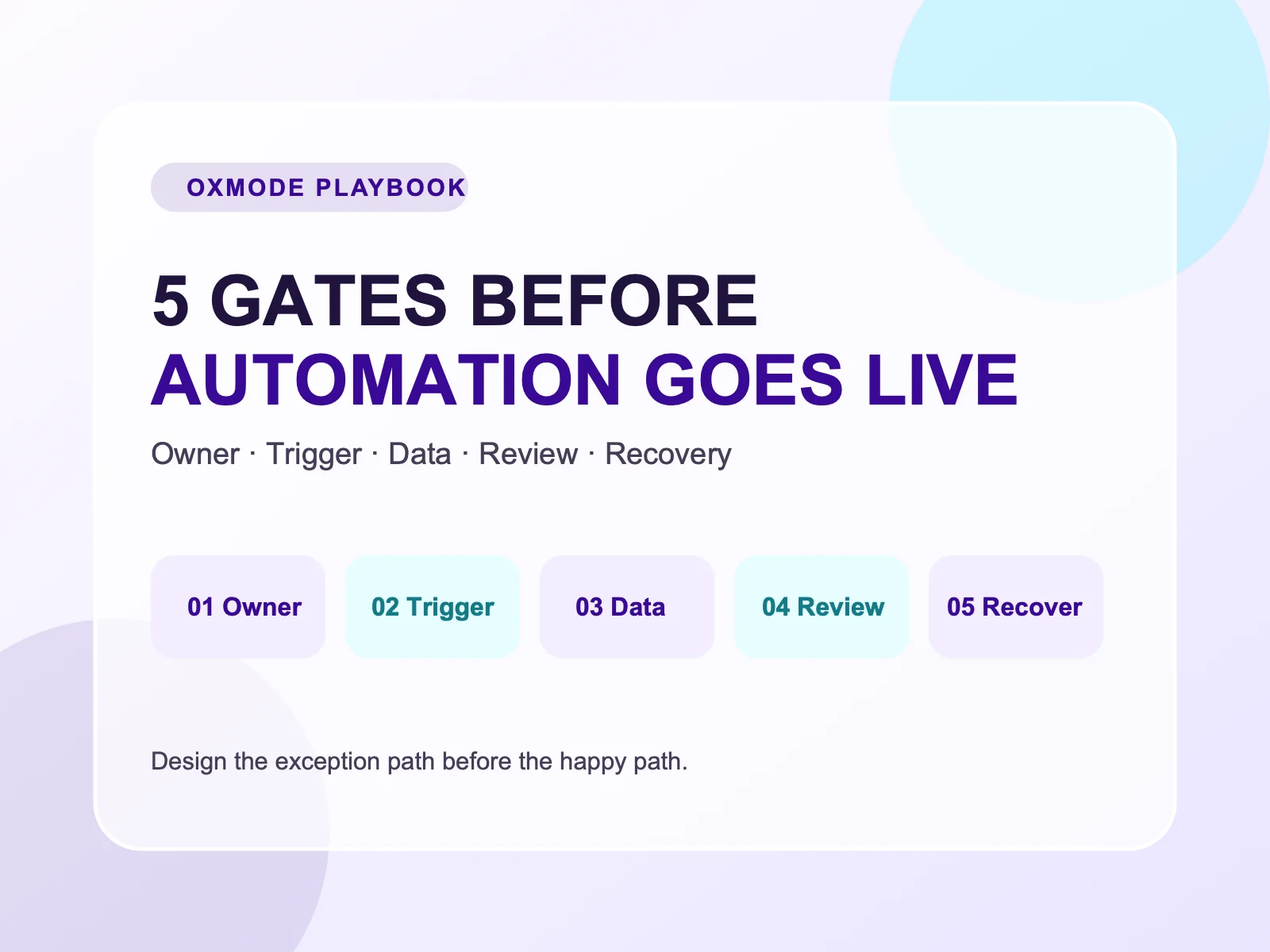
An automation should not be judged by whether a demo runs once. It is ready for production when the team knows who owns it, what may trigger it, which data is authoritative, which decisions need human review, and how to stop or correct it when something goes wrong.
For an SME, the safer move is not to automate everything. Start with one frequent, low-risk process and put it through the five gates below.
Why can a good demo still create trouble in production?
A demo normally follows a happy path: valid forms, complete data, the correct recipient, no duplicates, and no rule changes mid-flow. Real operations are the opposite. Data is incomplete, a contact is entered twice, an approver is absent, or a downstream service fails.
That is why scope and risk should be defined before selecting a tool. It also follows the intent of the NIST AI Risk Management Framework: understand context, measure impact, govern, and manage risk instead of looking only at technical capability.
Gate 1 — Owner: who decides when the flow is wrong?
Every workflow needs one named process owner. This person does not have to build the automation, but must be able to:
- approve business rules;
- receive alerts for abnormal runs;
- approve rule changes;
- pause the workflow when risk increases.
For example, an accounts receivable reminder flow may be owned by finance; lead qualification may be owned by the sales lead. “The whole team watches it” is not ownership.
Control question: If a customer receives the wrong email or an amount is wrong, who can decide the response that same day?
Gate 2 — Trigger: what is actually allowed to start the flow?
A good trigger is clear about the event, conditions, and duplicate protection.
Instead of “send a message when there is a new lead”, define it this way:
The flow runs only when a form is
qualified, its email is valid, no CRM record exists with the same email, and no welcome message has been sent in the last 30 days.
Three minimum controls are:
- Entry conditions — which records qualify?
- Idempotency/deduplication — does a re-run create a repeated impact?
- Scope limits — how many records, regions, or teams may one run affect?
If the trigger cannot be written as one testable sentence, the workflow is not ready for production.
Gate 3 — Data: which system is the source of truth?
Automation often fails not because a model or tool is “stupid”, but because it reads the wrong data. Before mapping fields, agree on:
- which system holds the original record;
- which fields the workflow may write back;
- which data is reference-only;
- which system wins when two sources disagree.
A CRM may be authoritative for lead status, finance for invoices, and chat only for notifications. Using chat as the database removes the audit trail and makes mistakes difficult to investigate.
Fast data checklist:
- Is there a shared identifier to prevent duplicates?
- Do required fields have validation?
- Is there a timestamp and last editor?
- Is sensitive data travelling through the workflow when it is not needed?
Gate 4 — Decision: where is human approval mandatory?
Not every step should be fully autonomous. Separate two kinds of decisions:
- Rule-based, low-impact actions: safe to automate, such as task creation, tagging, or internal reminders.
- High-impact or ambiguous actions: require approval, such as sending a quotation, changing financial records, accepting terms, or responding to a customer complaint.
Human-in-the-loop does not make a workflow less intelligent. It places authority where the risk is highest. A useful approval step names the approver, SLA, context to review, and an expiry state if no one responds.
Gate 5 — Recovery: what does the team do in the first 15 minutes of a failure?
A production flow needs an exception path before its first exception:
- Detect: where is the error recorded and who is alerted?
- Contain: can the flow or risky action be paused?
- Recover: is there a safe retry, reversal, or manual route?
- Learn: which rule or test case is created from the incident?
Do not simply set “retry three times”. Retrying an email action can send three emails. Retrying invoice creation can create duplicates. Recovery must understand the business impact, not only the technical error.
A two-week pilot for an SME
| Days | Work | Evidence |
|---|---|---|
| 1–2 | Select one low-risk flow with an owner | One-page entry and exit rules |
| 3–4 | Map data source and states | Ten sample records checked manually |
| 5–7 | Run in draft/approval mode | Log of mismatches and exceptions |
| 8–10 | Automate a narrow scope | Owner receives an alert and handles one test exception |
| 11–14 | Evaluate | Cycle time, errors/misses, manual-correction rate |
If outcomes do not beat the baseline or exceptions remain frequent, reduce autonomy, repair the rules, and run another pilot. Scale only after the owner agrees the flow is operable, not merely demoable.
When should a delivery team be involved?
When a workflow reaches several systems, sensitive data, permissions, or multiple decision-making teams, the work is no longer only about connecting tools. The business needs process ownership, data sources, approval, and auditability designed first.
OXMODE can start with a process audit, select one valuable workflow with controllable risk, then design the system and automation in layers.
Sources
- Google Search Central, Creating helpful, reliable, people-first content — guidance on useful content and clarity about who created it, how, and why.
- NIST, AI Risk Management Framework — a reference for AI risk management. This article applies its risk-governance mindset to operational workflow design.